GIPHY: GIFs, Stickers & Clips
- 3.8
- Rating
- 50.00M
- Installs
- Free
- Price

 Analysis by App-foxy
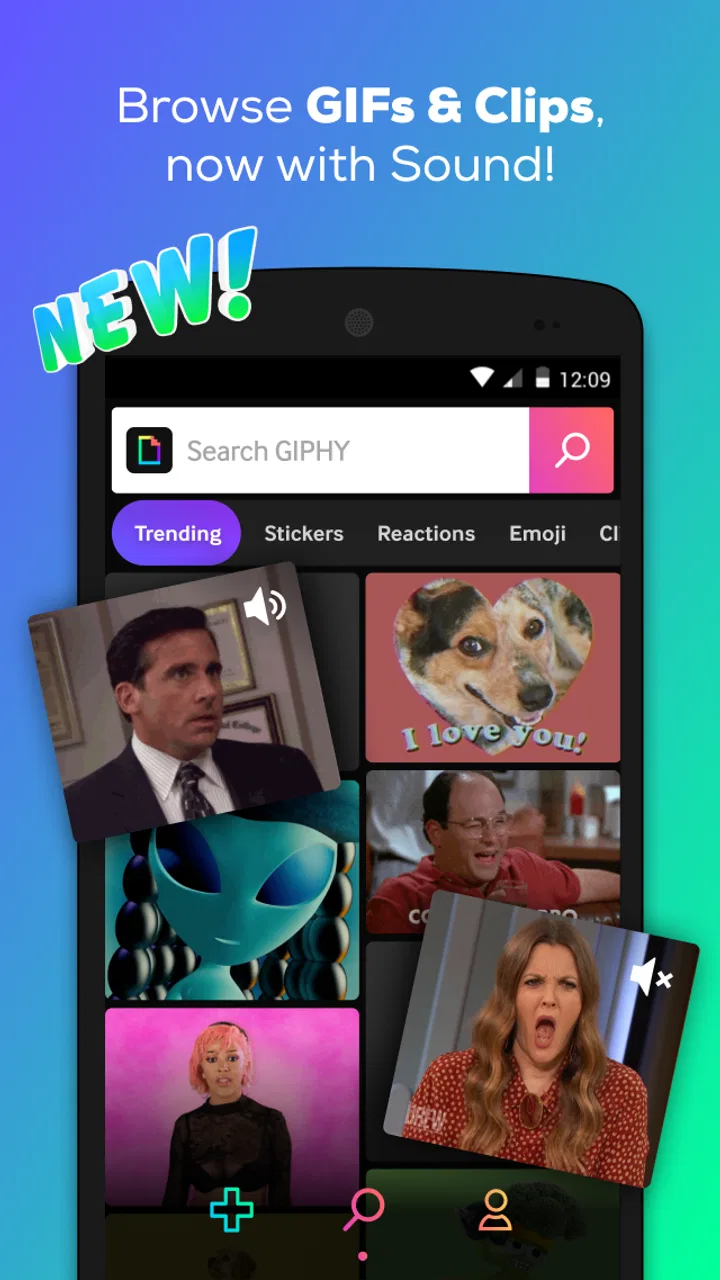
I installed GIPHY: GIFs, Stickers & Clips expecting a quick way to find a reaction image, and that is still the app’s strongest use. It is a video and media app from Giphy, Inc. that combines a large searchable collection of GIFs, stickers, memes, and short clips with tools for making your own. The first impression is immediate: search for a mood, phrase, character, or situation, browse a moving grid, and share something that says more than a plain sentence.
That instant usefulness is why the app has reached over 50 million installs. It is free, rated for Teen users, and currently sits at a 3.8 average from around 231 thousand ratings. Those figures suggest a familiar pattern: plenty of people find it handy, but it is not universally loved. After using it beyond the first burst of novelty, I think the difference comes down to how often you communicate with GIFs and whether you are willing to organize your own favorites instead of endlessly browsing.
From quick reactions to a repeatable habit
I use this section to look beyond the quick laugh and consider whether GIPHY can fit into a dependable routine. The key is to turn useful discoveries into a small, easy-to-reach collection rather than relying on fresh searches every time. That habit also makes it easier to judge what still earns a place once the first excitement settles.
You May Also Like

 Blood Strike: 2.5 Anniversary
Blood Strike’s Loadouts Turn Every Drop Into a Tactical Gamble
A close look at Blood Strike’s custom loadouts: how fast access to signature weapons reshapes its battle royale rhythm, rewards preparation, and narrows the gap between fights.

 Pandora - Music & Podcasts
Pandora’s Music Is Easy to Start, but Harder to Recover
Pandora’s strength is its low-effort path from a seed to a station. Its weak spot is how much confidence it asks you to place in connection, setup, and quiet recovery.

 8 Ball Pool
 Is Built on Rivalries, Rematches, and Routine
A close look at the rivalries, rematches, shared routines, and unanswered safety questions that turn a quick pool match into a persistent mobile community.

 Samsung Music
’s Quiet Strength Is Playing What You Already Own
Its reach comes less from spectacle than from dependable access to a personal library. That simplicity is both the app’s strongest retention engine and its ceiling.

 AccuWeather: Weather Radar
AccuWeather Review: A Quick, Clear Forecast for Everyday Decisions
For everyday plans, the best forecast is the one you can understand quickly. AccuWeather makes rain timing, radar, and local conditions easy to act on, with a few trade-offs.

 Hill Climb Racing
Why Hill Climb Racing Still Turns Crashes Into One More Run
A tiny car, a bumpy hill and one more upgrade: Hill Climb Racing keeps resurfacing because its simple chaos makes every near-miss feel personal.
More From Our News Desk



The first week feels effortless
During the first few days, the appeal is obvious. I could search for a reaction without opening a browser, sort through visual results, and choose something that matched the tone I wanted. A simple word can lead to several interpretations: excitement, sarcasm, disbelief, celebration, or gentle annoyance. That range makes the app more useful than a static emoji keyboard when the exact emotional shade matters.
The library is also broad enough to support more than casual jokes. I found myself using animated stickers for friendly messages, short clips when a reaction needed more context, and memes when a conversation already had an established sense of humor. The important distinction is that the app is not only a viewer. It is a discovery tool for small pieces of visual language that can be reused across conversations.
Search is the feature that determines whether GIPHY becomes part of a routine. When it works, I can describe what I want in ordinary language rather than remembering a specific creator or title. Searching by feeling is particularly practical: instead of hunting through folders for a suitable response, I can try terms related to surprise, agreement, awkwardness, or celebration and compare the results quickly.
There is a useful habit here that is easy to miss. When I find a reaction that fits a recurring situation, saving it is more valuable than continuing to search for a slightly better alternative every time. A small personal collection turns the app from an endless feed into a shortcut. I recommend building separate mental groups for work-safe responses, close friends, celebrations, and ironic reactions. That reduces the time spent scrolling when I am replying in a hurry.
Creation adds a second reason to return
The creation side gives the app more staying power than a basic GIF search engine. Making a custom animated response is worthwhile when a stock result is close but not quite right. A personal clip can capture an inside joke, a memorable moment, or a reaction that would be difficult to explain with words.
I would not treat the creation tools as a replacement for a full video editor. The attraction is speed and shareability, not detailed production control. If I need careful trimming, layered sound design, precise typography, or a polished export for a public project, I would choose a dedicated editor instead. GIPHY is better for turning a moment into a lightweight conversational asset.
One practical workflow is to create material in batches rather than opening the editor whenever inspiration appears. If I have several short moments from an event or a group chat, preparing a handful of reactions at once gives me a reusable set for later. This is more efficient than making a new GIF every time someone asks for one, and it helps prevent the creation feature from becoming a novelty that I try once and forget.
Where it fits beside ordinary alternatives
The usual alternative is searching the web, copying a result, and switching between apps until the image reaches the conversation. That approach can work, but it is slower and less consistent. GIPHY keeps discovery centered on animated media and makes the process feel more like choosing a reaction than conducting a general search.
Another alternative is relying on the GIF panel built into a messaging keyboard. That can be faster for a one-off reply because it appears exactly where I am typing. However, a dedicated app is more useful when I want to browse deliberately, explore categories, save material, or create something of my own. The trade-off is the extra step of leaving the chat.
For people who mainly want still images, stickers already supplied by a favorite messaging service may be enough. For people who edit videos professionally, a specialized editor will offer more control. GIPHY occupies the middle ground: richer than a tiny keyboard panel, quicker than a production suite, and focused on expressive media rather than complete video projects.
What remains useful after the novelty fades
Here I focus on the app’s lasting value, including how it can support different communication needs and where its abundance may become a barrier. I find that usefulness depends less on how much I can browse than on whether its visual replies suit the people and situations I actually communicate in. From there, the final assessment weighs who is likely to benefit and who may prefer a simpler option.
Month-to-month value depends on communication style
After the first month, the question is no longer whether the library is entertaining. It is whether I still have a reason to open the app when I am not deliberately browsing. For me, the recurring value comes from three situations: replying in group conversations, finding a visual response when text sounds too flat, and preparing a custom reaction for a recurring joke or community.
People who participate in active group chats will probably get the most from it. A well-chosen GIF can settle the tone of a message, soften a disagreement, or make a routine congratulations feel personal. It also works well for users who communicate across languages, because a facial expression or physical reaction can sometimes be understood more easily than a sentence.
The value is weaker for someone who rarely sends animated media. If I only use GIFs on birthdays or occasional jokes, the app may not earn a permanent place on my phone. In that case, a built-in search tool or a small collection of saved favorites is likely enough. The free price removes the financial risk, but it does not remove the cost of attention: browsing can become a time sink even when no purchase is involved.
A useful monthly check is to notice whether I am opening the app with a clear purpose. If I repeatedly search, save, and share something that improves a real conversation, it has become a tool. If I only open it to scroll through a feed and close it without sharing anything, the novelty is probably doing more work than the app itself.
How to keep the library from becoming clutter
The biggest maintenance issue is not technical complexity; it is choice overload. A large collection can produce dozens of acceptable results, and the tenth option is not always better than the first. I get better results when I decide on the tone before searching. “Warm congratulations,” “playful disbelief,” and “quiet agreement” are more useful intentions than a vague search for something funny.
I also try to save only items I can imagine using again. This sounds obvious, but animated media is easy to collect impulsively. A compact set of dependable reactions is faster to use than a huge personal archive filled with near-duplicates. When a saved item no longer fits my conversations, removing it is worthwhile because it keeps future choices focused.
Another overlooked maintenance habit is checking the result before sending it. A GIF that looks harmless in a search grid can carry a different tone when viewed in full context. Some reactions are exaggerated, sarcastic, or associated with a particular scene. I pause long enough to watch the complete loop and consider the recipient. That small step prevents an accidental mismatch, especially in professional or mixed-age conversations.
The Teen content rating is a useful reminder that this is not a completely neutral visual catalog. The app is suitable for many everyday uses, but I would still preview anything sent to a workplace, family group, classroom, or public audience. Search results can reflect internet culture rather than the standards of a specific community, so personal judgment remains necessary.
Sources of fatigue
The same abundance that makes discovery fun can make it tiring. Search results may contain many variations on one joke, and browsing can encourage passive consumption rather than purposeful communication. I sometimes find myself looking for a perfect reaction when a simple sentence would be clearer and quicker.
Relevance is another practical concern. A search term can be interpreted visually, culturally, or humorously, and those interpretations do not always match what I meant. When that happens, I refine the wording instead of scrolling indefinitely. Adding a mood, action, or context usually works better than repeating the original search with minor changes.
There is also a social limitation. GIFs depend heavily on shared taste. A reaction that feels obvious to one group may seem confusing or overly dramatic to another. This is particularly true when a clip comes from a show, celebrity moment, or online trend that the recipient does not recognize. I get more reliable results from expressive, context-independent reactions when communicating with people I do not know well.
Creation can create its own friction. Custom content is most rewarding when I already have a clear idea, but less so when I am simply experimenting. Without a specific use in mind, making a GIF can feel like an activity rather than a solution. That is not necessarily bad, but it means the editor will not automatically create long-term value for every user.
Practical use in everyday conversations
Imagine a friend sends a message saying that a carefully planned evening has gone wrong. I could answer with several sentences, but a short reaction clip may acknowledge the disaster immediately and keep the conversation light. I would search by the emotion I want to convey, preview a few options, choose one that does not rely on obscure context, and send it. If the same kind of exchange happens often, I would save the best response for quicker access next time.
For a small online community, the creation tools can be more useful than the public library. A moderator or regular participant could prepare a few recognizable reactions for welcoming new members, celebrating milestones, or responding to recurring questions. The benefit is consistency: the group develops a visual shorthand instead of repeatedly searching for unrelated clips.
There is a professional use as well, but it requires restraint. A carefully chosen sticker can make an internal team message friendlier, while a loud meme can undermine a serious discussion. I would use the app for informal channels and low-stakes moments, not as a substitute for clear instructions or important feedback. The strongest workplace use is emotional punctuation, not information delivery.
Device expectations and app details
The app is free to use and supports Android devices running version 6.0 or later. The current version is 4.16.8, so anyone installing it should check that their device meets that basic software requirement. I appreciate that the entry barrier is low, particularly for people using older phones, although the experience still depends on how comfortably the device handles animated media and how quickly content loads in everyday conditions.
Giphy, Inc. has kept the product focused on visual discovery rather than turning it into a general social network or a full editing workstation. That focus is a strength when I want a reaction quickly. It is less appealing when I want deep organization, precise media production, or a quiet experience with minimal browsing.
The app’s public reception reflects that balance. It has around 13 thousand written reviews alongside its much larger rating base, and the overall response is a 3.8 average. I read that as a sign of solid usefulness with noticeable frustrations rather than a universally smooth experience. The app does what its core audience needs, but the value drops sharply for people who do not already enjoy communicating through GIFs and stickers.
Who should install it, and who should skip it
I would recommend it to frequent group-chat users, meme-aware communicators, people who want a large source of animated reactions, and anyone who occasionally needs to turn a personal clip into something shareable. It is especially worthwhile if the built-in GIF options in your messaging apps feel repetitive or too limited.
I would skip it if I prefer concise text, rarely send visual reactions, or need a serious video-editing environment. I would also avoid making it the main tool for formal communication. The app can add warmth and humor, but it cannot decide whether a particular joke is appropriate for your audience, and its abundance can encourage unnecessary scrolling.
My recommendation is to test it with a specific routine rather than installing it only to browse. Save a small set of reactions for conversations you actually have, try creating one custom piece with a clear purpose, and notice whether that collection saves time over the next few weeks. If it does, the app has earned a place in your regular toolkit. If it does not, deleting it will not remove anything essential from the way you communicate.
The long-term verdict
GIPHY: GIFs, Stickers & Clips earns lasting space when it becomes a shortcut, not a distraction. Its first-week appeal is strong because the library is immediate, expressive, and easy to explore. Its month-to-month value comes from saved reactions, recurring conversations, and occasional custom creations. The maintenance burden is manageable, but only if I resist collecting everything and preview content before sharing it.
I like the app most as a visual vocabulary: a place to find the exact raised eyebrow, celebration, apology, or moment of disbelief that plain text cannot quite deliver. I like it less as an endless entertainment feed. Used with intention, it is a practical companion for informal messaging and creative small-scale sharing. Used without a purpose, it can turn a two-second reply into a long scroll through almost-identical choices.
After the novelty fades, my verdict remains positive but selective. It is not a universal replacement for a messaging keyboard, a web search, or a professional editor. It is the better choice when you want a dedicated, searchable home for animated expression and the freedom to create your own reactions. For that audience, the free app is easy to justify; for everyone else, its real test is simple: does it make your next conversation clearer, warmer, or funnier without taking longer than the message itself?
FAQs for GIPHY: GIFs, Stickers & Clips
01What is GIPHY: GIFs, Stickers & Clips used for?
GIPHY is a platform that allows users to search, share, and create GIFs, stickers, and short video clips. It's widely used to add visual flair to messages, social media posts, and more. With an extensive library, it offers endless options to express emotions, reactions, and creativity in a fun and engaging way.
02Is GIPHY free to use, and are there any in-app purchases?
Yes, GIPHY is free to download and use. The app offers a vast array of GIFs and stickers without charge. However, users should be aware that while most features are free, there may be additional content or features available for purchase within the app to enhance the user experience.
03Can I create my own GIFs and stickers on GIPHY?
Absolutely! GIPHY allows users to create their own GIFs and stickers using the app's built-in tools. You can customize these with text, filters, and other effects. This feature enables users to personalize their content and share unique creations with friends and followers across various platforms.
04How can I share GIFs from GIPHY to other platforms?
Sharing GIFs from GIPHY is straightforward. The app provides direct sharing options to popular platforms like Instagram, Facebook, WhatsApp, and more. Simply select the GIF you want to share, tap the share icon, and choose your desired platform to instantly share your content with friends and family.
05Does GIPHY require an internet connection to function?
Yes, GIPHY requires an internet connection to access its extensive library of GIFs, stickers, and clips. While browsing and searching for content necessitate connectivity, users can save their favorite GIFs for offline viewing, but creating and sharing new content will also require an active internet connection.
Pros
- Extensive library of GIFs and stickers.
- User-friendly and intuitive interface.
- Fast search functionality.
- Supports sharing across social media.
- Regularly updated with new content.
Cons
- Can consume a lot of data quickly.
- Occasional app crashes reported.
- Some content may not be appropriate.
- Requires a stable internet connection.
- Limited offline functionality.

GIPHY: GIFs, Stickers & Clips
Gallery